HL7 v2 Message Validator and Auto-Corrector
Web application for validating Healthlink HL7 v2 XML messages with Gazelle EVS, deterministic auto-correction, batch processing, and PDF reporting
A Flask web application for validating Healthlink HL7 v2 XML messages with the Gazelle EVS service, reviewing detailed validation results, and applying conservative, deterministic corrections to supported message errors.
Try the live application or view the source on GitHub.
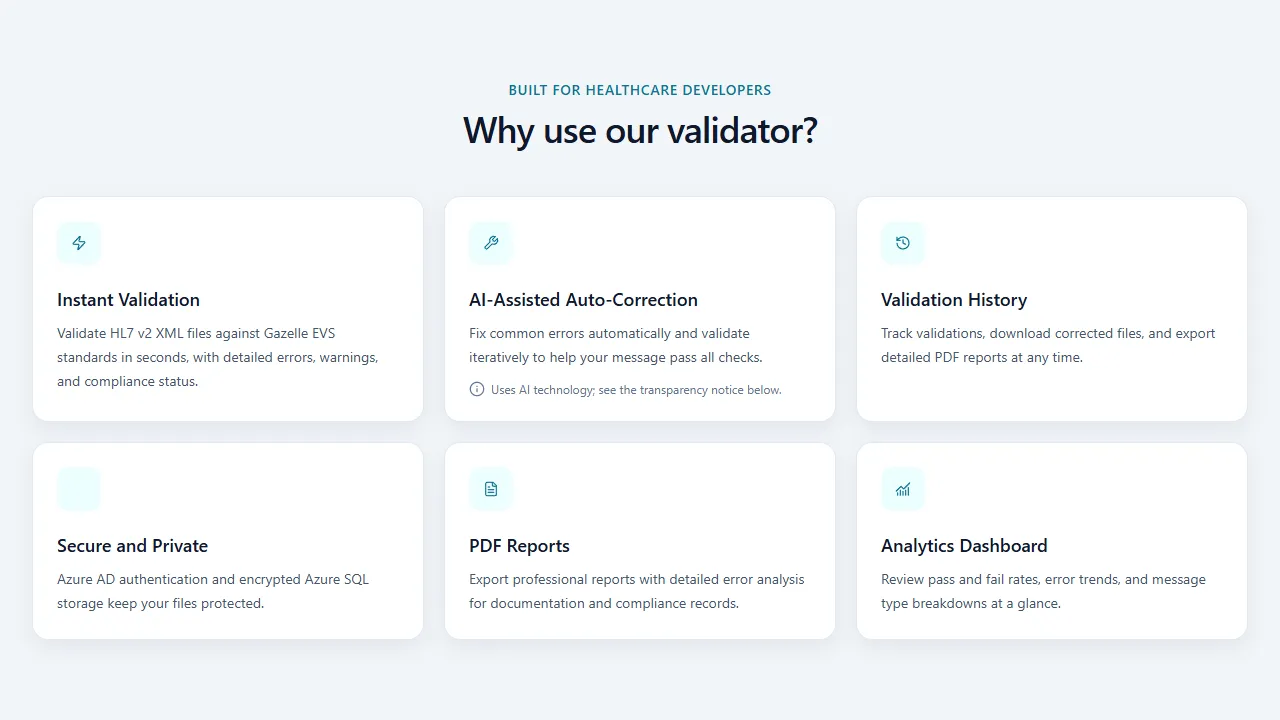
The public application highlights the complete validation workflow and its production features.
Purpose
HL7 v2 remains a core part of healthcare integration. This application helps developers and integration engineers validate message conformance, understand errors and warnings, and correct common issues during development and troubleshooting.
Key Features
Validation and batch processing
- Upload one or more
.xmlor.txtHL7 v2 messages - Validate against configured Gazelle EVS profiles
- View validation status, message type, errors, warnings, and the Gazelle report link
- Track upload and validation progress for each file in the browser
- Revalidate corrected messages iteratively up to a configurable limit
Deterministic auto-correction
- Repair supported encoding and structural issues
- Apply data-driven HL7 code-table corrections
- Populate supported required fields
- Stop when the message passes, no further supported correction is available, or the iteration limit is reached
- Download the corrected message for review
The correction engine is deliberately conservative and rule-based. It does not use generative AI to decide how message content should be changed, and corrected messages should always be reviewed before clinical or production use.
Reporting and history
- Detailed results with categorised errors and warnings
- PDF report export using ReportLab
- Session-based results in local mode
- Per-user validation history and statistics through Azure SQL in production
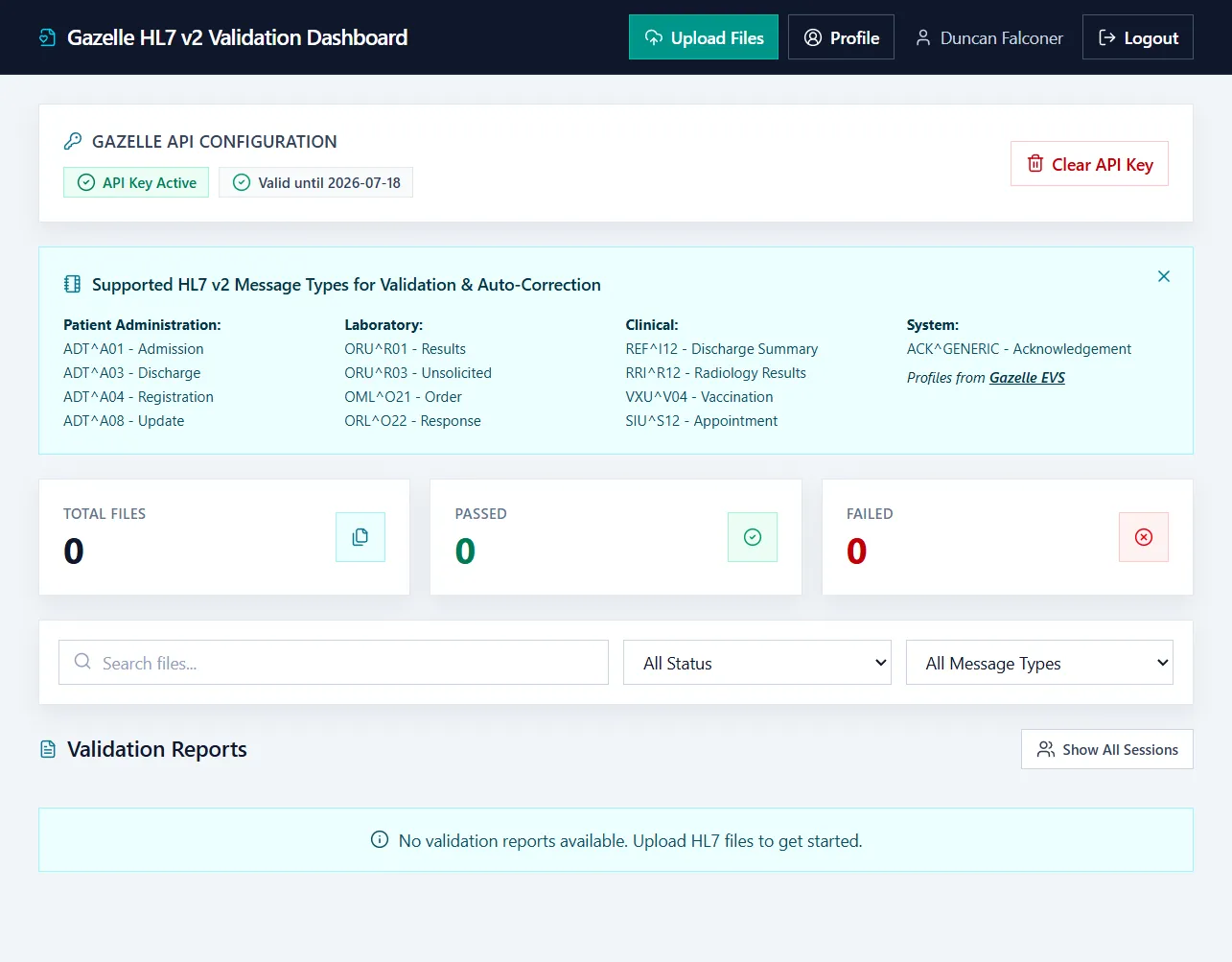
The authenticated dashboard brings profile selection, validation status, search, filtering, and report history into one workspace.
Supported Profiles
The interface includes configured profiles for common patient administration, laboratory, clinical, and system messages, including:
ADT^A01,ADT^A03,ADT^A04, andADT^A08ORU^R01,ORU^R03,OML^O21, andORL^O22REF^I12,RRI^R12,VXU^V04, andSIU^S12- Generic acknowledgements
Final profile availability depends on the connected Gazelle EVS instance and its configuration.
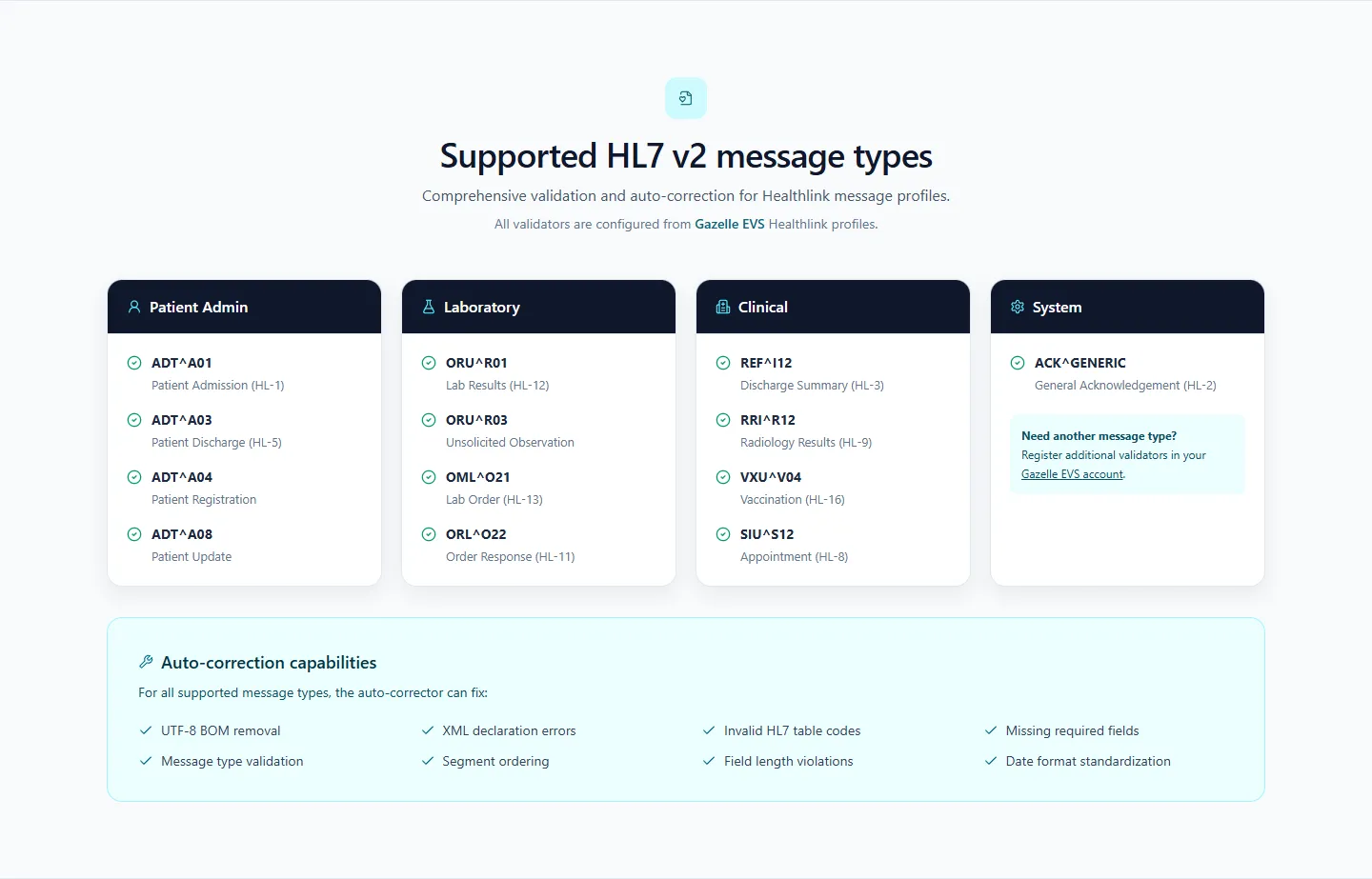
Configured Healthlink profiles and the correction categories available across them.
Technical Implementation
Application architecture
- Flask and Python 3.12 provide the web application and validation orchestration
- Gazelle EVS performs standards-based message validation
- Tailwind CSS and Lucide icons provide the responsive dashboard interface
- ReportLab generates downloadable PDF reports
- Docker and Gunicorn support repeatable deployment
Local and production modes
- Local mode supports development, demonstrations, and single-user validation without authentication
- Production mode adds Microsoft Entra ID sign-in, per-user history, statistics, and Azure SQL persistence
- Gazelle API credentials can be held in the local session or encrypted with Fernet in production storage
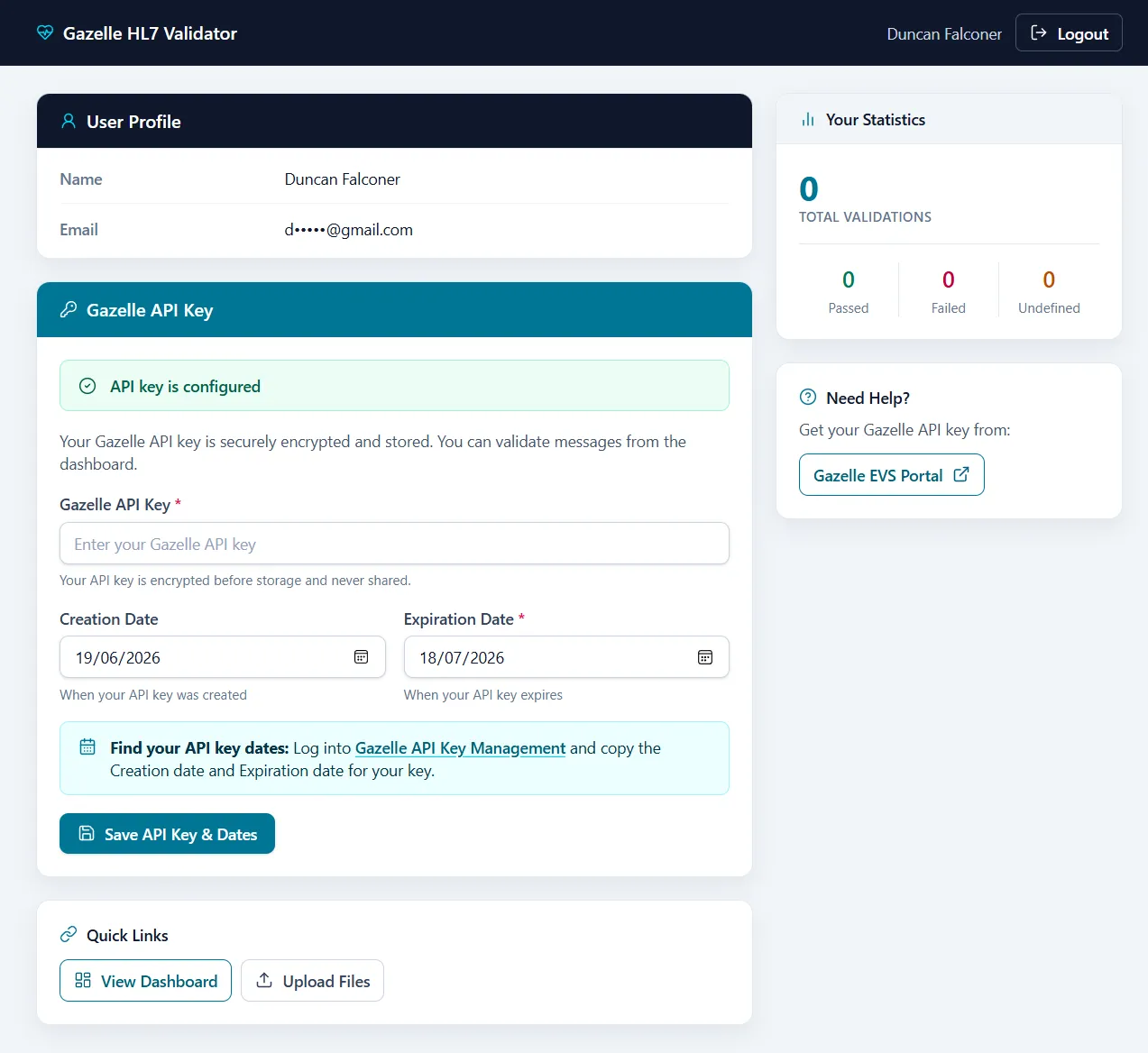
The production profile combines user statistics with encrypted Gazelle API-key lifecycle management. The email address is masked for privacy.
Security and data handling
- CSRF protection and server-side filesystem sessions
- HTTP-only, same-site cookies, with secure cookies in production
- Content Security Policy and additional response security headers
- Request rate limiting, filename sanitisation, and upload restrictions
- Parameterised database access and encrypted production API-key storage
Uploaded messages may contain personal or clinical data. Operators must ensure that their use of the application and submission of messages to Gazelle EVS meet their organisation’s privacy, retention, and data-processing requirements.
Correction Workflow
- The browser uploads each selected message to Flask.
- The application submits it to the configured Gazelle EVS service.
- Validation results are parsed and presented in the dashboard.
- If enabled and mandatory errors remain, supported correction rules are applied.
- The message is revalidated until it passes or no further supported correction can be made.
- The final report and corrected file are made available for review and download.
Batch files are processed sequentially to avoid overwhelming the external validation service while providing clear per-file progress.
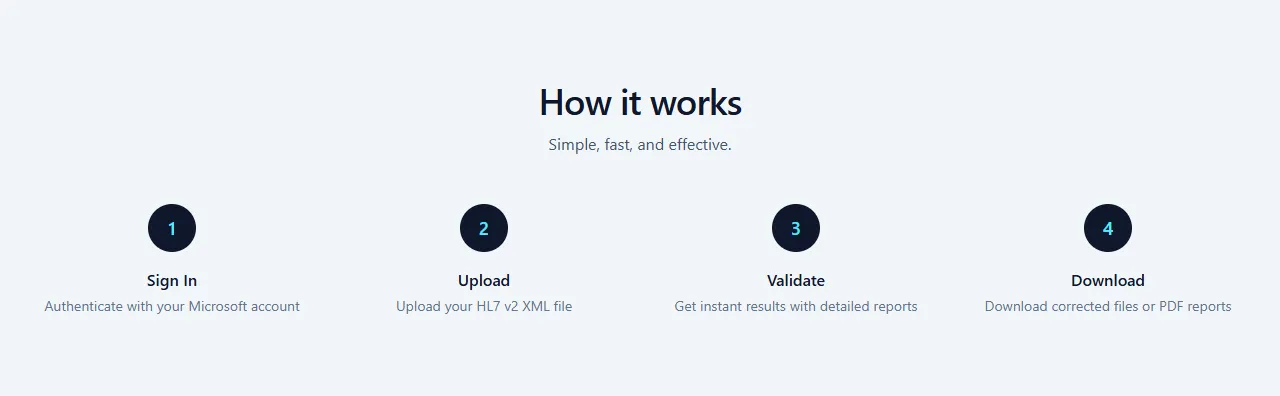
The user journey keeps a technically complex process to four clear stages.
Value
The application reduces the effort involved in HL7 v2 message-quality workflows by combining validation, explainable rule-based correction, revalidation, downloadable reports, and production-ready user history in one interface. It is designed for testing and message-quality work; it is not a medical device or a substitute for professional review.
The source repository is publicly accessible. It does not currently include a standalone open-source licence, so public visibility should not be interpreted as granting reuse rights.